IMPORTANT TO KNOW: EL4 has the capability to load Estimating Link Classic projects but projects in EL4 do NOT have the capability to restore in Estimating Link Classic.
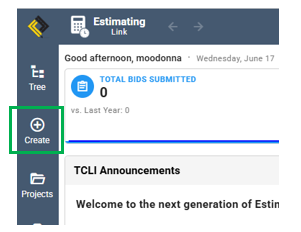
- In EL4, click on the Create icon located on the left navigation bar:
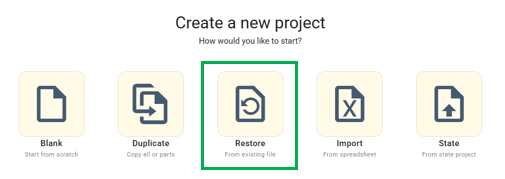
- From the Create a new project screen, click Restore:
- From the Import Project screen, click Browse:
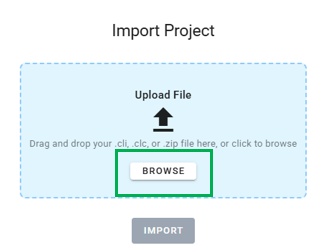
- Select your .cli file:
- Desktop Users: By default your Estimating Link projects are stored here: C:\Program Files (x86)\Construction Link\Estimating Link V3\Backups
- Cloud Link Users: Export your project following these instructions and save them locally.
- Click Import.